Muscle Trigger Point Anatomy
Real BodyworkMedical
4.7347.00 Reviews
- Version
- 2.5.3
- Installs
- 100.00K
- Age Rating
- Everyone
Screenshots
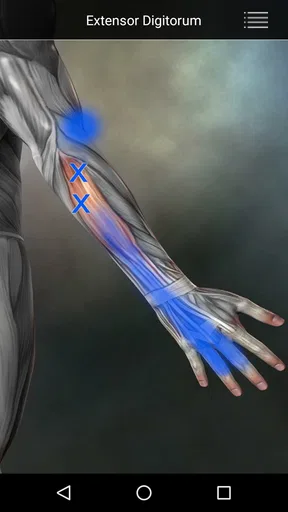
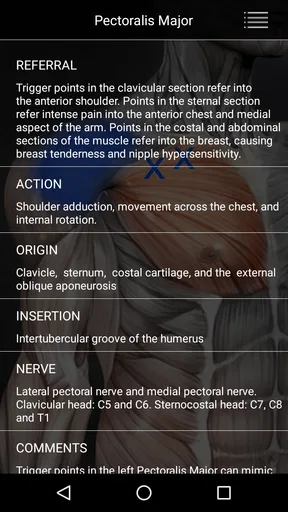
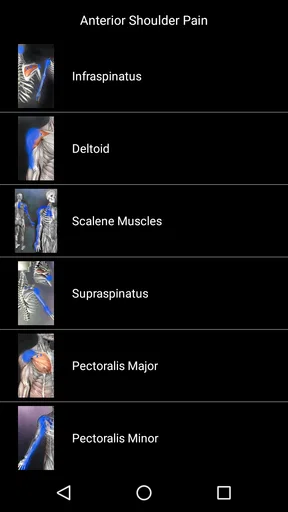

Our Review of Muscle Trigger Point Anatomy
 Analysis by Appyee
If you're like me, always looking for a clearer way to make sense of muscle aches, Muscle Trigger Point Anatomy offers a focused reference for exploring where discomfort might be coming from. I’d treat it as an anatomy and self-education tool, not as a way to diagnose an injury. That distinction matters: a map can help you ask better questions about a sore shoulder, but it cannot tell you with certainty what is happening inside your body.
When a sore spot needs more than a guess
A familiar everyday example is finishing a long day at a desk with a stiff neck or a tender area around the shoulder blade. My first instinct might be to press the sore spot or search the web for a quick fix. With a muscle reference like this, I can instead start by locating the area, checking which nearby muscles could be relevant, and comparing the sensation with the information shown. That gives me a more orderly starting point than scrolling through unrelated search results.
The app is a medical reference from Real Bodywork, and its purpose is narrower than a general fitness or wellness app. Its store summary points to finding a possible source of pain through trigger-point anatomy. That makes it most useful when I already have a location or symptom to investigate. It is less suited to someone looking for a complete training plan, a broad health encyclopedia, or a substitute for an appointment with a clinician.
Moving from a symptom to a useful reference
The practical workflow is straightforward: begin with the body area that feels uncomfortable, use the anatomy view to orient yourself, then read about the muscle and related symptoms before deciding what to do next. I would avoid jumping directly from “this spot hurts” to “this must be the cause.” Pain can be referred from elsewhere, and similar sensations can have different explanations. The app can help narrow a line of inquiry, but it should not be the final step in deciding what is wrong.
A useful habit is to note the context before exploring: when the discomfort began, what movement brings it on, and whether it changes with rest. That small bit of preparation can make the anatomy information easier to interpret and more useful if you later speak with a physiotherapist or doctor. I would also keep any self-massage gentle. Trying to force a painful point to release is not a sensible way to test an app or your body.
Who will get the most from it
I can see this being worthwhile for curious gym-goers, massage students, bodywork practitioners, and people who want a visual aid while learning muscle names and locations. It can also help someone describe discomfort more precisely: “the front of my thigh” is a better starting point than “my leg feels strange,” even though it still does not establish a diagnosis.
If you have sudden or severe pain, numbness, weakness, an injury, or symptoms that are worsening or not settling, I would skip self-guided trigger-point work and seek appropriate medical advice. The same goes for anyone who expects the app to confirm a condition or prescribe a safe treatment for a complex problem. In those situations, professional assessment is the better tool.
There is also a practical trade-off in the format. A visual anatomy reference can make spatial relationships easier to grasp than a plain article, but it still asks you to translate an illustration into your own body. A video may show a technique more clearly, while a clinician can check whether that technique makes sense for your particular symptoms. I would use the app to learn and prepare, not to replace either of those forms of help.
Exploring the Anatomy and Using It Well
Ever wondered about those mysterious knots and aches that appear out of nowhere? Well, Muscle Trigger Point Anatomy is here to demystify them. This app is like having a pocket physiotherapist who explains what’s causing that nagging pain in your shoulder or why your back suddenly feels like it's turned into a tight rubber band.
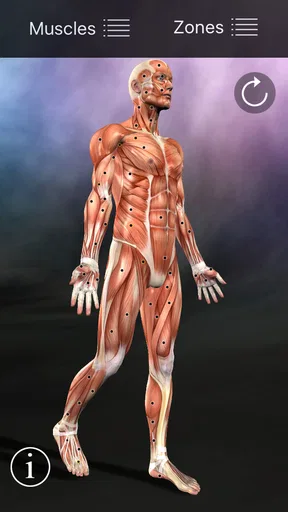
The app’s interface is pretty intuitive. Upon launching it, you're greeted with a detailed map of the human body. You can tap on any muscle group to explore potential trigger points and their related symptoms. It's like having a 3D anatomy book, but way cooler and more interactive.
Features that Make a Difference
One of the standout features of this app is its comprehensive database. It provides a wealth of information on each muscle, from origin and insertion points to common dysfunctions.
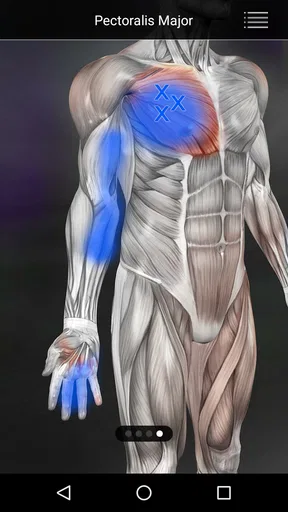
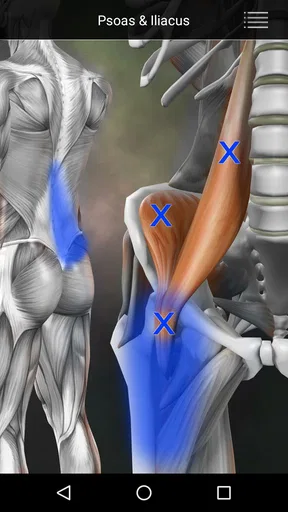
- Interactive Muscle Maps: These allow you to zero in on specific areas of discomfort. You can zoom, rotate, and explore each muscle in detail.
- Symptom Checker: Not sure why your calf feels like it's been through a marathon? Use the symptom checker to identify potential causes and treatments.
- Video Tutorials: For those of us who prefer visual learning, the app includes a series of video tutorials demonstrating how to effectively release trigger points. These are lifesavers if you’re trying to tackle those pesky knots on your own.
- Customizable Routines: You can create and save routines tailored to your needs, whether you’re prepping for a workout or winding down after one.
From the gym floor to follow-up care
So, what’s it like using the app in real life? Well, I’ve found it especially useful during my gym sessions. Whether I'm warming up or cooling down, having this app handy means I can quickly address any tension that arises.
For a more careful gym workflow, I would use it after the session rather than interrupting a lift to search for an answer. I can note which movement preceded the ache, look up the relevant area when I have time, and use the anatomy view to learn what I may be feeling. That makes the app a companion to training rather than a reason to push through pain. If the same discomfort keeps returning, I’d take the notes to a qualified professional instead of repeatedly trying new pressure techniques.
The app also shines in helping with recovery. After a particularly grueling leg day, I used the app’s guidance to work on trigger points in my quads and hamstrings. The relief was noticeable, and I felt like I was walking on clouds the next day.
For me, the useful outcome is not only short-term comfort; it is learning to describe a body area more accurately and to notice patterns over time. I would use one visit to understand the muscle location, then step away and see whether ordinary movement and rest change the sensation. That pause is important: it keeps an anatomy reference from turning every ache into a reason to press harder or assume that one muscle explains everything.
Price, compatibility, and realistic expectations
The app costs $4.99, so I’d weigh that against how often I expect to consult a dedicated trigger-point reference. If I’m studying anatomy or regularly working with muscle tension, paying once for a focused tool may make more sense than piecing together explanations from general articles. If I only have an occasional mild ache and want basic reassurance, free health resources or a conversation with a clinician may be a better first step.
It has a 4.7 average from around 1.7 thousand ratings, with over 100 thousand installs, which suggests that many users have found a reason to keep it around. Those figures are useful context, but they do not guarantee that its approach will fit every person or symptom. I would judge it by whether its anatomy and explanations help me understand a specific question, not by popularity alone.
The current version is 2.5.3, and the app was released on January 27, 2011. It is rated for Everyone and supports Android starting with version 4.0.3. That broad age rating does not mean every self-treatment is appropriate for every age or health situation; I would still use supervision and professional guidance where needed, especially for a child or someone with a medical condition.
Compared with a general anatomy app, this one is more focused on trigger points and the relationship between muscles and symptoms. Compared with a video search, it offers a more structured place to orient yourself, while videos can be easier to follow when learning a movement. Neither approach can examine you. My preference would be to use the app for locating and learning, then rely on a clinician when symptoms are persistent, unclear, or concerning.
Where the self-guided approach can falter
The main friction is interpretation. A body map may help me identify a muscle, but pinpointing the source of pain is harder, especially when several muscles overlap or discomfort seems to travel. The more complicated the symptom, the less confident I would be about making a decision from a diagram or symptom match. It is a reference for informed exploration, not a personal assessment.
There is also a risk of treating the most tender spot as the cause simply because it is easy to find. I’d resist that shortcut, use light pressure if I choose to explore at all, and stop if symptoms intensify or feel unusual. If the app’s suggested area does not fit what I experience, I would not force the match; I would treat that mismatch as a reason to get another opinion.
Would I recommend it? Yes, with sensible expectations. Muscle Trigger Point Anatomy is best for people who want to understand muscle locations and explore possible trigger-point patterns, especially when they already have a clear question in mind. It is not the right choice for urgent symptoms, definitive diagnosis, or hands-on feedback. Used as a learning aid and a way to prepare for a better conversation with a professional, it can be genuinely helpful; used as a replacement for care, it asks too much of an app.
So, if you're serious about your fitness and health, give it a try. Your muscles will thank you, and who knows, you might even become the go-to person for muscle advice among your friends.
Verdict
Strengths of Muscle Trigger Point Anatomy
- Comprehensive muscle detail coverage.
- User-friendly interface and navigation.
- Includes helpful visual aids and diagrams.
- Regular updates with new information.
- Offline access once downloaded.
Limitations of Muscle Trigger Point Anatomy
- Limited customization of learning paths.
- Videos are not available for all muscles.
- Some content may feel overly technical.
- Requires considerable storage space.
- No interactive quizzes for self-testing.
Other Releases by Real Bodywork
View All
Horse Anatomy: Equine 3D
Medical3.0
Similar Picks in This Category
View All
WebMD: Symptom Checker
WebMD, LLC4.1

Microphone Amplifier
DOSA Apps4.2

Anatomy Learning - 3D Anatomy
3D Medical OU4.5

Period Tracker and Calendar
SimpleInnovation4.9

GoodRx: Prescription Coupons
GoodRx4.8

CVS Health
CVS Pharmacy4.5
Frequently Asked Questions
What is Muscle Trigger Point Anatomy and how does it work?
Muscle Trigger Point Anatomy is an educational app designed to help users understand and identify muscle trigger points in the human body. It provides detailed diagrams and descriptions of each trigger point, allowing users to learn about pain patterns and their underlying causes. The app is ideal for students, therapists, and anyone interested in anatomy.
Is Muscle Trigger Point Anatomy suitable for beginners?
Yes, the app is designed to be user-friendly, making it suitable for both beginners and advanced users. It includes comprehensive guides and easy-to-navigate diagrams that help beginners understand complex anatomy concepts without overwhelming them. Additionally, it features interactive elements to enhance the learning experience.
Does the app require an internet connection to function?
No, Muscle Trigger Point Anatomy can be used offline. Once downloaded, all the information, diagrams, and resources are available without the need for an internet connection. This feature makes it convenient for users to study and reference the material anytime, anywhere, without worrying about connectivity issues.
Are there any in-app purchases or subscriptions required?
The app offers a one-time purchase model with no recurring subscription fees. While the basic version provides extensive information, there are optional in-app purchases available for additional features such as advanced diagrams or detailed video tutorials. These add-ons enhance the learning experience but are not mandatory for basic use.
Can this app be used by professional therapists or trainers?
Absolutely, Muscle Trigger Point Anatomy is an excellent resource for professional therapists, trainers, and healthcare providers. It offers detailed insights into muscle anatomy and trigger points, aiding in diagnosis and treatment planning. The app serves as a valuable reference tool, providing professionals with a deeper understanding of muscle pain and dysfunction.
